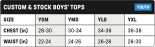
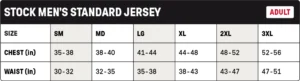
If you experience any trouble with our new website, our former website is still available by visiting https://m2.richardsonsports.com.
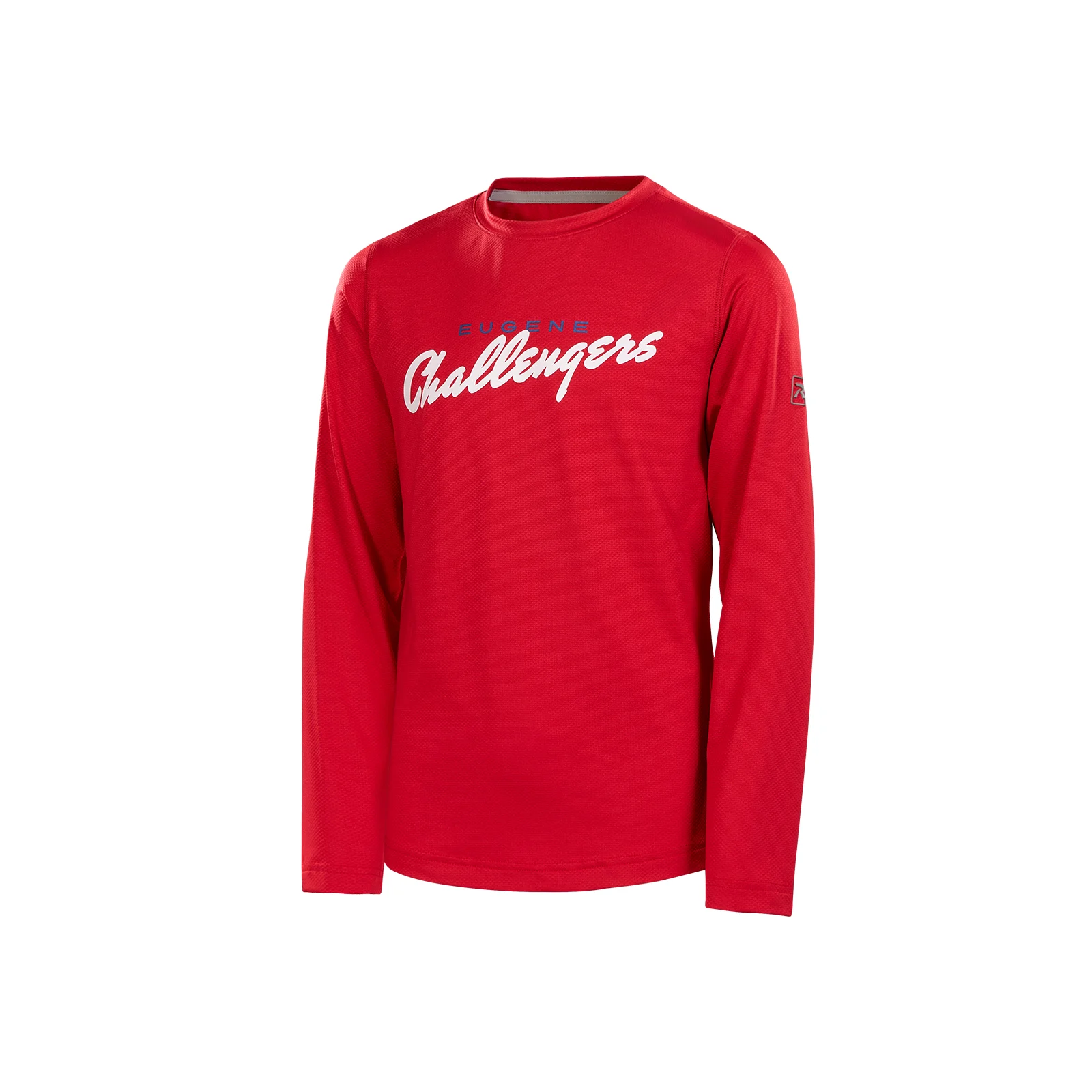
Boys’ Stock Rise Long-Sleeve Tee
#
1000TLSY
Boys’ Stock Rise Long-Sleeve Tee
The ultimate fusion of comfort and durability, our Boys’ Rise Long-Sleeve Tee is built with 4-way stretch fabric and Stay-Dri moisture management to keep you comfortable and dry through every movement. With an anti-microbial finish and precision flatlock stitching, this tee is built to go the distance.
Features and Benefits
4-way stretch fabric moves with your body in all directions for superior comfort and performance
Anti-microbial finish helps fight odor-causing bacteria, mold, and mildew so fabric stays fresher longer
Flatlock stitching delivers a smooth and comfortable feel against the skin for a distraction-free fit
Stay-Dri moisture management wicks away sweat, keeping you dry
Color:Select Color
Technical Specs
Style: Long-Sleeve Shirt
Age: Youth
Fabric: Performance Jacquard Knit
Composition: 82% Polyester/18% Spandex
Gender: Boys
Sizing Options
YS
YM
YL
YXL
SIZE CHART
Mid Pro caps
Fitted & R-Flex Sizing
Head Size (IN)
Head Size (CM)
R-Flex
Adjustable
20"
20 3/8"
20 3/4"
21 1/4"
21 5/8"
22"
22 3/8"
22 3/4"
23 1/8"
23 1/2"
23 7/8"
24 1/4"
24 5/8"
25"
51 cm
52 cm
53 cm
54 cm
55 cm
56 cm
57 cm
58 cm
59 cm
60 cm
61 cm
62 cm
63 cm
64 cm
Youth*
SM-MD
XS-SM
LG-XL
Youth
OSFM & MD-LG
SM
XL
*Youth sizes available for PTS20 & PTS30 in select colorways.
Scroll horizontally to see more
HOW TO FIND THE RIGHT SIZE
Ensure the tape measure is straight and not twisted to obtain an accurate measurement.
If a tape measure isn’t available, use a piece of string to encircle your head, then measure the length of the string with a ruler.
If uncertain about the size or in between sizes, opt for the larger size to ensure a comfortable fit.
Full Pro caps
Fitted & R-Flex Sizing
Head Size (IN)
20"
20 3/8"
20 3/4"
21 1/4"
21 5/8"
22"
22 3/8"
22 3/4"
23 1/8"
23 1/2"
23 7/8"
24 1/4"
24 5/8"
25"
Head Size (CM)
51 cm
52 cm
53 cm
54 cm
55 cm
56 cm
57 cm
58 cm
59 cm
60 cm
61 cm
62 cm
63 cm
64 cm
Fitted
6 3/8**
6 1/2**
6 5/8
6 3/4
6 7/8
7
7 1/8
7 1/4
7 3/8
7 1/2
7 5/8
7 3/4
7 7/8
8
R-Flex
Youth*
SM-MD
XS-SM
LG-XL
*Youth sizes available for PTS20 & PTS30 in select colorways.
**For fitted size reference only, not stocked.
Scroll horizontally to see more
HOW TO FIND THE RIGHT SIZE
Ensure the tape measure is straight and not twisted to obtain an accurate measurement.
If a tape measure isn’t available, use a piece of string to encircle your head, then measure the length of the string with a ruler.
If uncertain about the size or in between sizes, opt for the larger size to ensure a comfortable fit.
Full Pro2 caps
R-Flex, Adjustable & System 5 Sizing
Head Size (IN)
Head Size (CM)
R-Flex
Adjustable
System 5
20"
20 3/8"
20 3/4"
21 1/4"
21 5/8"
22"
22 3/8"
22 3/4"
23 1/8"
23 1/2"
23 7/8"
24 1/4"
24 5/8"
25"
51 cm
52 cm
53 cm
54 cm
55 cm
56 cm
57 cm
58 cm
59 cm
60 cm
61 cm
62 cm
63 cm
64 cm
Youth*
SM-MD
XS-SM
LG-XL
Youth
OSFM & MD-LG
SM
XL
XS
SM
MD
LG
XL
*Youth sizes available for PTS20 & PTS30 in select colorways.
Scroll horizontally to see more
HOW TO FIND THE RIGHT SIZE
Ensure the tape measure is straight and not twisted to obtain an accurate measurement.
If a tape measure isn’t available, use a piece of string to encircle your head, then measure the length of the string with a ruler.
If uncertain about the size or in between sizes, opt for the larger size to ensure a comfortable fit.
Reporting an Issue
Helpful information to include:
Description
– What issue are you experiencing?
Steps Taken / How It Occurred
– What were you doing when the issue happened?
Description
– What issue are you experiencing?
Expected Result
– What should have happened?
Actual Result
– What happened instead?
Frequency
– Does this happen every time or only sometimes?
Screenshots or Videos (if available)
– Visuals are extremely helpful.
Device / Browser (if applicable)
– Especially for customizer issues.
How to Update Google Chrome
To update Google Chrome, follow these steps:
For Windows, macOS, and Linux:
1. Open the Chrome browser.
2. Click on the three dots (⋮) in the top-right corner.
3. Choose Help > About Google Chrome.
4. If an update is available, click Check for updates.
5. When the update is finished, click Relaunch. If no updates are available, you’ll see a message that Chrome is up to date.
For Android devices:
1. Open the Google Play app.
2. Tap your profile picture in the top-right corner.